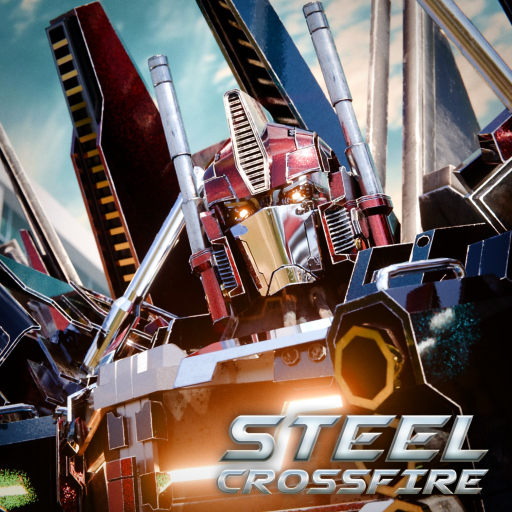
Steel Crossfire Quests: Weekly Checks and Progress Tips
Use this Steel Crossfire quests checklist to verify current objectives, track Battle Pass progress, and avoid relying on an outdated weekly schedule.
Open the official Steel Crossfire Roblox experience to verify the current live build.
Evidence note: archived sources discuss quests and Battle Pass progress, but the structured evidence does not confirm a complete current weekly objective list, reset time, or reward table. This page gives you a reliable verification routine rather than presenting a changing season panel as permanent.
Steel Crossfire quests are easiest to manage when you separate what the live panel says today from what an update video said when it was recorded. Open the current quest screen first, record the exact objective and timer, then choose a character and mode that let you make progress without throwing away the match.
Read the panel before choosing a loadout
A quest title can hide an important condition: a required mode, form, faction, character, weapon, or match result. Copy the wording exactly. If the objective has a counter, note its starting value and check whether partial progress survives a server change.
Use this short pre-match checklist:
- Confirm whether the quest is daily, weekly, seasonal, or simply untimed.
- Record the visible reset or expiration timer.
- Read the reward and whether it must be claimed manually.
- Check for a required Bot, Vehicle, Jet, faction, or game mode.
- Keep a screenshot in case the counter fails to update.
This news video discusses daily-quest and mode changes from a particular update. It is useful for seeing how quest systems can move over time, but its date-specific details should be compared with the current client.
Track progress with an evidence-first routine
| Checkpoint | Record | Why it matters | If it disagrees |
|---|---|---|---|
| Before queue | Exact objective, counter, timer, reward | Defines the current task | Trust the live panel over an older guide |
| After one action | Counter change | Tests what the objective actually counts | Try one controlled variation |
| After match | Progress and match result | Shows whether completion is required | Keep the screenshot and retest once |
| After claim | Balance, item, or pass progress | Confirms delivery | Rejoin before repeating a purchase or claim |
| Before reset | Remaining time and unclaimed rewards | Prevents avoidable loss | Claim only through the current interface |
Test one variable at a time. If a “use Vehicle Mode” objective does not move, first confirm you were in the required form when the counted action happened. Do not switch character, mode, server, and weapon all at once; you will not learn which condition caused the change.
The archive does not establish a universal “five quests every seven days” contract for all future seasons. Even when an announcement described a cadence, the live timer is the correct reference for the present cycle. Treat the wording, not memory, as the rule.
Connect quests to Battle Pass planning carefully
Some archived coverage connects quests with Battle Pass progress, but the current pass track, reward order, and required totals are update-sensitive. Open the live pass and answer three questions before grinding: what resource advances it, which quest contributes, and when the current track ends.
Do not count a reward until it is claimed and visible. A completed quest may award progress immediately, require a button press, or update after a server delay. Keep currency, boosters, cosmetics, and pass progress as separate categories in your notes.
If you have limited time, prioritize objectives that overlap naturally with normal match play. Avoid sabotaging a team objective to force an uncertain counter. A good session advances the quest while still helping the current game mode.
Handle missing progress and reset confusion
When a counter stalls, stop repeating the same action blindly. Verify the form, mode, character, and exact verb in the quest text. Finish the match if the panel may update only at the end. Then rejoin once and check again.
For a reproducible problem, save:
- The exact quest text and timer.
- Before-and-after screenshots of the counter.
- The selected character, form, and game mode.
- Whether the match completed normally.
- The approximate time and server change, without sharing account credentials.
Use the official Roblox community or creator-owned support surfaces for bug reporting. Never give a third-party “helper” your password, session cookie, recovery code, or payment information to repair quest progress.
Frequently asked questions
How often do Steel Crossfire quests reset?
The archived structured evidence does not confirm one permanent reset cadence. Read the timer on the current quest panel and treat it as authoritative for that cycle.
Do quests advance the Battle Pass?
Archived coverage discusses a connection, but the exact contribution can change by season. Confirm the current quest reward and Battle Pass progress display before planning a grind.
Why did my quest counter not increase?
Check the exact wording, required form or mode, whether the match must finish, and whether progress updates after a delay. Test one controlled action and save screenshots if the issue repeats.
Should I trust an old quest list?
Use it only as historical context. Objectives, rewards, timers, and pass connections are update-sensitive, so the live panel and official announcements should decide what you do now.